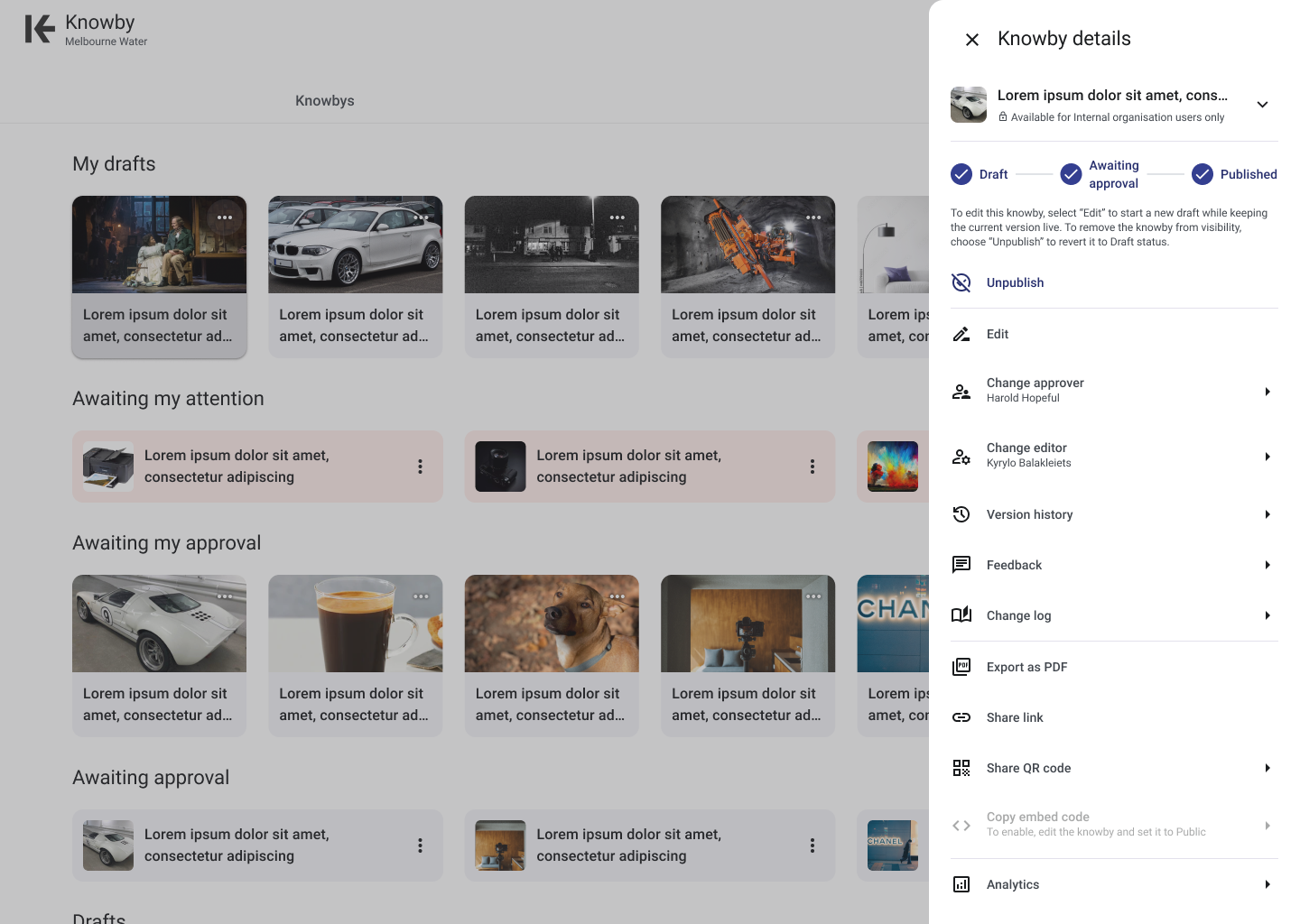
Objective
To provide users with the ability to export their knowbys — step-by-step instructions created in Knowby Pro — into a PDF format. This feature aims to enable the storage of knowbys for evidence of compliance in document management systems.
Key Features
PDF Generation: Users can convert any knowby into a PDF document, encapsulating the textual content, images, and formatting in a portable format.
Layout and Design: The PDF will maintain the visual hierarchy and design elements of the knowby, ensuring readability and a consistent user experience.
Image Inclusion: All images within the knowby, including diagrams, photographs, and illustrations, will be embedded within the PDF, preserving the instructional integrity.
Limitations
Video Content: Since PDFs are static documents, video content cannot be played within the PDF. Instead, videos will be exported as still images.
Interactive Elements: Any interactive elements within the knowby, such as step completions, will be converted into static images, as the dynamic functionality cannot be replicated in a PDF.
File Size: The inclusion of multiple high-resolution images or a large number of pages may result in a sizeable PDF file.
External Links: While links within the knowby can be included in the PDF, their functionality will depend on the PDF viewer used by the end-user. Recipients of the PDF will need to click on the links to access external resources.
User Interface